MI Windows
MI Windows - General Export Process Steps
MI Windows provides software solutions for the LBM industries.
-
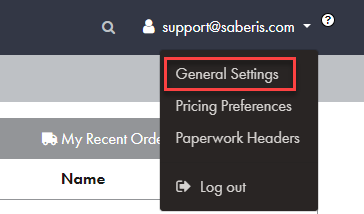
To activate the Saberis export process, first select "General Settings" from your user profile.
-
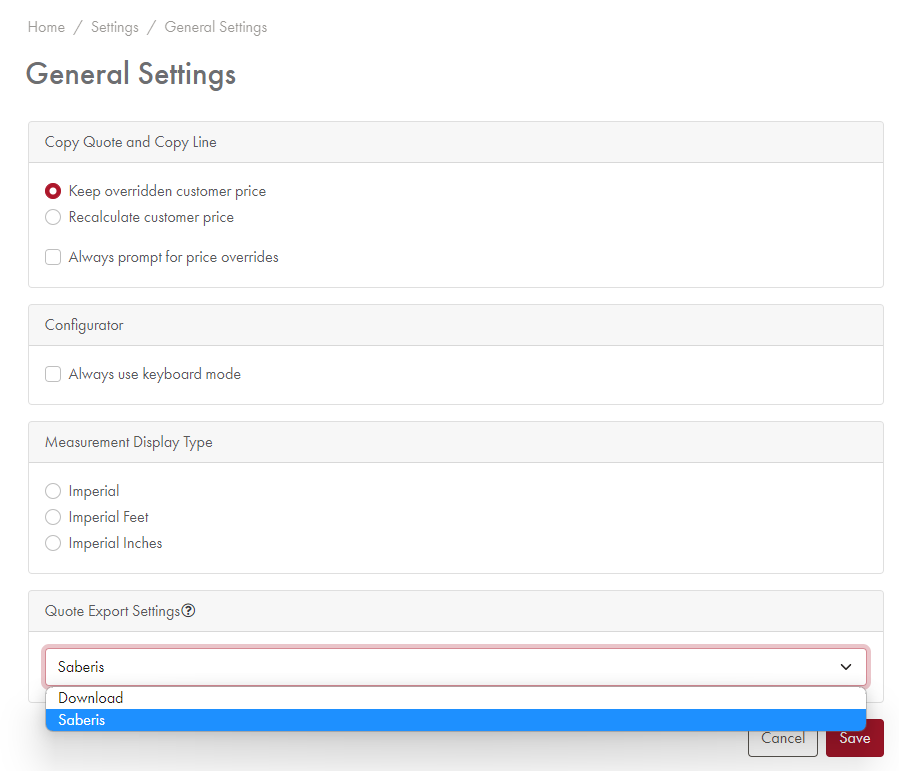
Scroll down in the General Settings to "Quote Export Settings" and select "Saberis", then select "save".
-
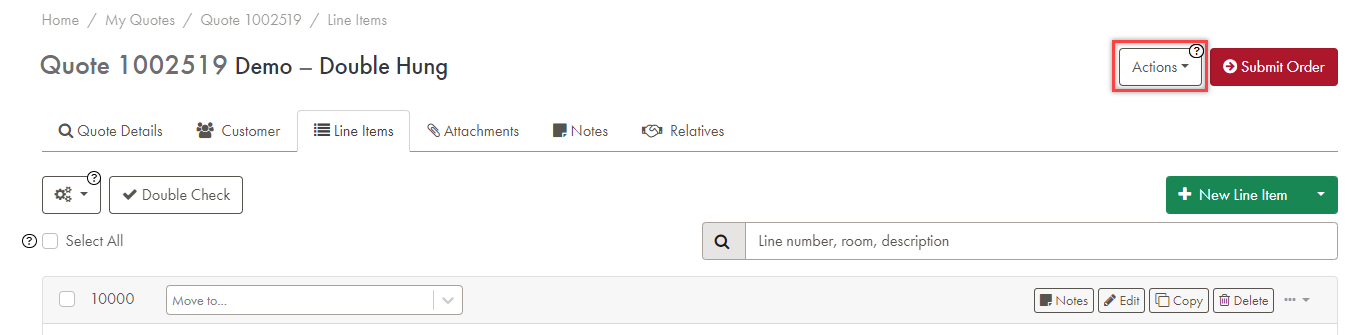
Open a quote. Navigate to the "Actions" button.
-
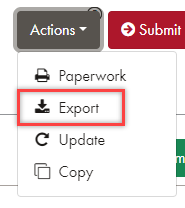
From the drop down list, select "Export".
-
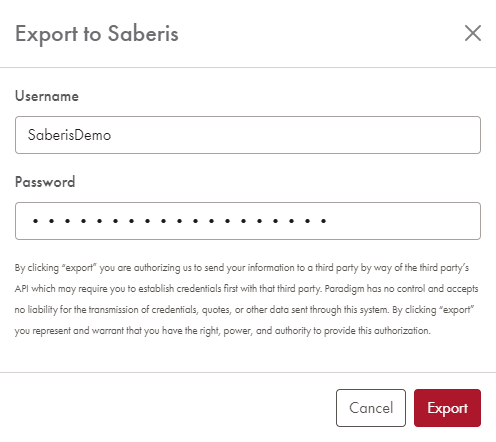
When prompted, enter your SaberisConnect credentials, then select "Export".
-
You should receive a message stating "Quote successfully exported".

Now go to your ERP system if the system is "pulling" down orders from the Saberis Server or if Saberis is "pushing" orders into the system.
If your system does not do the above, then log into your SaberisConnect account and you will see the quote/order already processed and ready for downloading.
If you receive an API error while exporting to SaberisConnect, you can temporarily set the Quote Export Settings to "Download". This allows you to then upload and process the document using the MI Windows module in SaberisConnect.